 Alexander Navarro
eb51c17575
Alexander Navarro
eb51c17575
Affected files:
03. Resources/Development/Git/Git.md
03. Resources/Development/Git/Pasted image 20240417084933.png
03. Resources/Development/Git/Pasted image 20240417084959.png
03. Resources/Development/Git/Pasted image 20240417085036.png
03. Resources/Development/Git/So You Think You Know Git Part 2 - DevWorld 2024.md
1.2 KiB
1.2 KiB
So You Think You Know Git Part 2 - DevWorld 2024
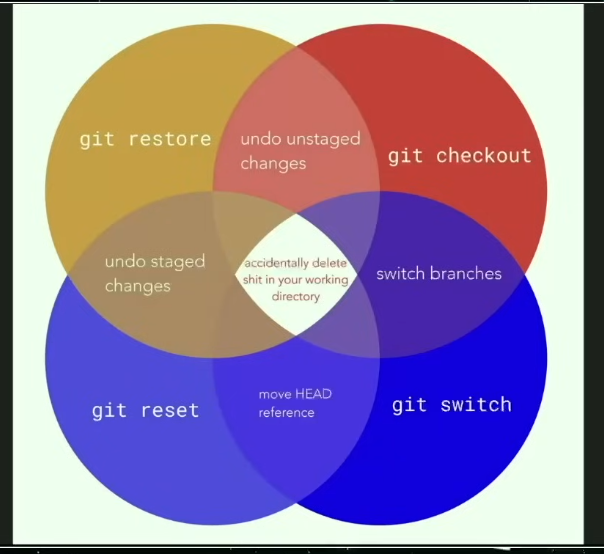
Switch and Restore
Wrapper around the checkout command to make more sense. You can do:
git switch branchinstead ofgit checkout bracnhgit restore file.txtinstead ofgit checkout file.txt
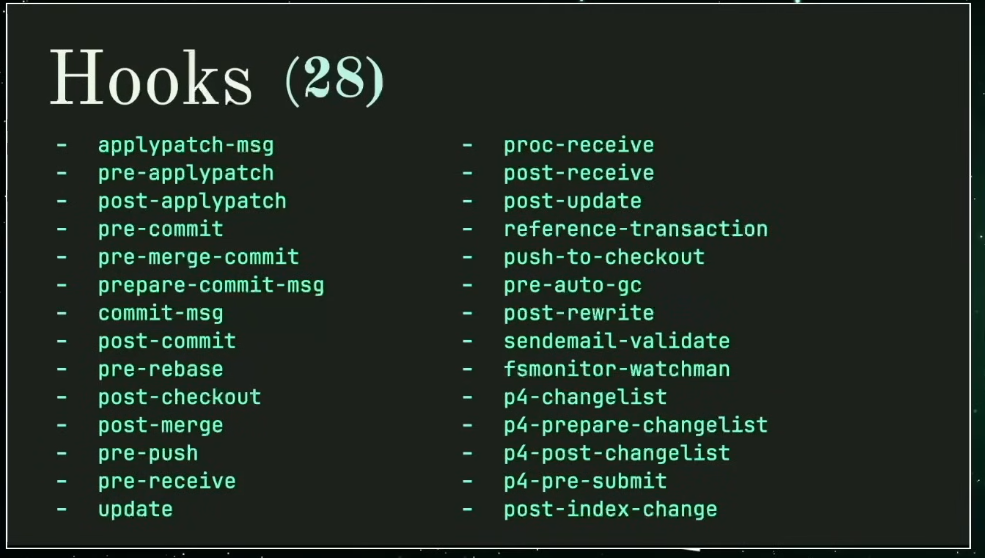
Git Hooks
useful ones:
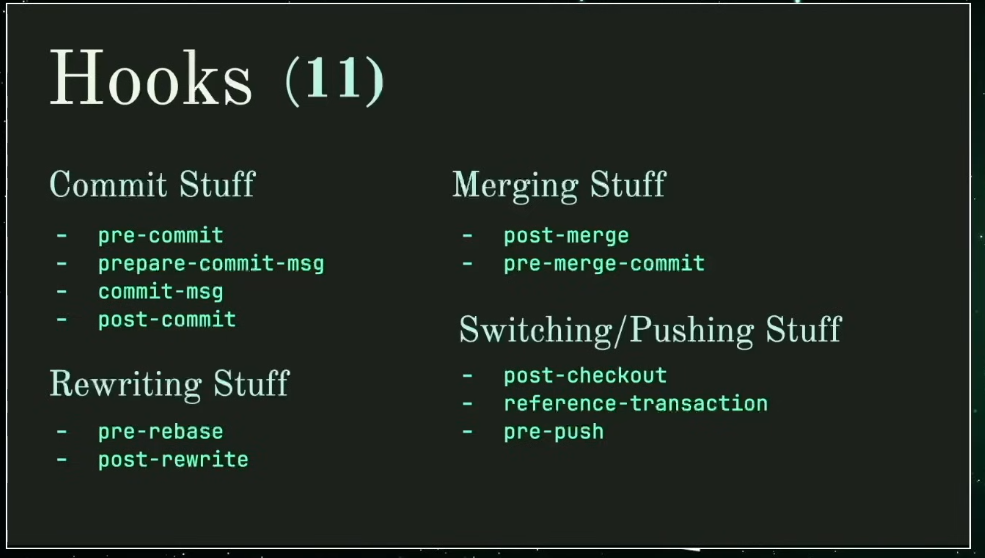
uses:
- Commit message formatting
- package install
- update ctags
- submodule status
- tabs or spaces
- linting
- large files
- test passes
Helpers (installable external tools):
- pre-commits
- husky
Attributes
run files through intermediates and diff that:
echo '*.png diff=lexif' >> .gitattributes
git config diff.exif.textconv exiftool
Fixup Commits
git commit --fixup=<commit>
git rebase --autosquash
Rebasing Stacks
move dangling branches reference when doing a rebase
git rebase --update-refs
Scaling Git
top level command scalar, it's only used to clone huge repositories.
Worktrees
- working on more than one branch at a time
- provide a new working directory to each branch